PM Tools Comparison for Game Studios 2026: Jira vs Linear vs QPM

Why Choosing a PM Tool in Gamedev Is Not Just a Matter of Convenience
Most PM tool comparisons are written for SaaS companies or IT outsourcing firms. There, the task is simple: there's a sprint, a backlog, a velocity. The tool exists to keep everything visible and nothing lost.
In a game studio, the task is fundamentally different.
You're simultaneously managing multiple disciplines — features, art, QA, audio — each with its own rhythm and its own type of specialist. Your senior Unreal programmer is needed in three places at once. Your 3D artist will finish the blockout in two weeks, but QA already has nothing to work with. The milestone is six weeks away, and no Gantt chart will tell you whether that date is realistic — because it has no skill logic, no understanding of cross-discipline dependencies, no signal that the Art pipeline became a bottleneck three sprints ago.
That's why choosing a tool for your studio is a strategic decision, not a UI preference.
Let's break down the three tools studios most frequently consider in 2026: Jira, Linear, and QPM. No marketing spin — only what truly matters for game production.

Jira: The Industry Standard with a Heavy Legacy
Why Studios Still Use It
Jira is the default choice for most studios that grew from small teams or came from an IT background. The reasons are clear: a massive integration ecosystem, Confluence alongside it, a familiar interface for developers, and — most importantly — 20 years of reputation as a "serious" tool.
For purely engineering tracking, Jira genuinely works well. Issue tracking, sprints, Kanban boards, GitHub integration — all implemented at a high level and battle-tested in production by millions of teams.
Where Jira Breaks Down in Gamedev
The problem starts when a studio tries to use Jira for what it was never designed for — managing cross-discipline resources across parallel projects.
• Resource management is a paid and painful add-on. To get any reasonable resource view in Jira, you need Advanced Roadmaps (paid), Tempo (paid), BigPicture (paid), and possibly other paid add-ons. Together — three separate tools with different interfaces, different data logic, and inevitable desyncs. None of them understand the concept of "skills" — only names and time slots.
• No concept of discipline. Jira has no native distinction between a programmer, 3D artist, QA engineer, and audio designer. They're all just "assignees." Skills matrices, seniority, specialization — all require custom fields that have zero impact on planning logic.
• Timeline recalculation is manual. If a task shifts — you go and manually move the dependent tasks. In a studio with 50+ people and 3–4 parallel tracks, your roadmap becomes outdated faster than you can update it.
• No crunch signals whatsoever. Jira will not warn you that a specific specialist will be overloaded at 140% in three weeks. That will become obvious at the retrospective — when it's already too late.
• Openly hostile to artists and designers. Jira was designed for developers. The iterative workflow of art direction, asset pipelines, concept review and approval — all of this gets crammed into an issue tracker with pain and loss of context.
Jira Summary
Jira is the right choice for tracking engineering team tasks. It's the wrong choice for orchestrating the entire studio's production. Studios that try to combine the two pay either in money (a stack of three paid plugins plus a part-time Jira Admin) or in planning quality — by simply not using the resource functionality at all.

Linear: The Best UX on the Market — and Deliberate Limitations
Why Linear Won Over Developers
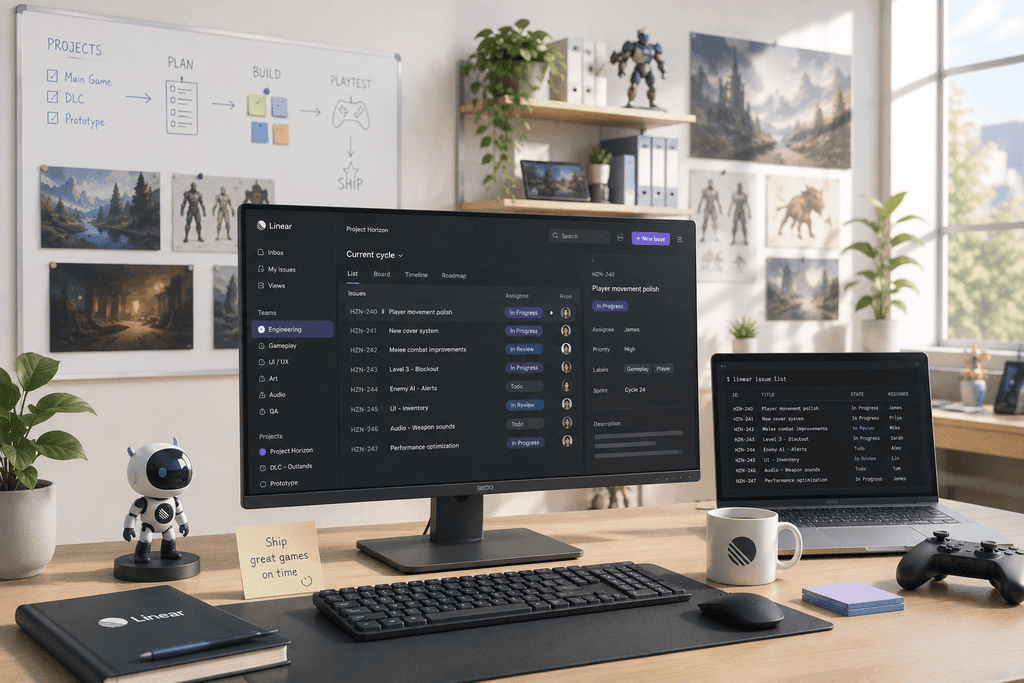
Linear is what Jira should have been if it had been designed in 2020. A blazing-fast interface, thoughtful information architecture, an excellent CLI and API, native GitHub integration. "The Linear Method" — their public manifesto on how development should work — became a cultural artifact in engineering communities.
For a product team building a single product and wanting solid task tracking, Linear is close to ideal.
Where Linear Deliberately Stops
The key word here is "deliberately." The Linear team consciously rejected resource management, multi-project planning, and capacity planning. This is a philosophical choice: they believe a good tool should do one thing and do it well.
A respectable stance. But for a studio, it means a concrete ceiling.
No multi-project view. Linear was designed for one team, one product. If you have two parallel titles, a DLC, and a prototype — you either create three separate workspaces and lose cohesion, or mix everything into one and lose focus.
No resource planning at all. Not "weak" — it simply doesn't exist. You can't see how loaded a person will be a month from now. You can't model: "what happens to the deadline if we switch this developer to another project."
No concept of skills or disciplines. Same as Jira — people are just assignees. Artists, programmers, QA — all the same.
Cross-discipline teams are not the target audience. Linear was built for software teams. 2D/3D artists, audio engineers, and game designers find its interface inconvenient and irrelevant to their work.
Predicting crunch is impossible. The tool simply lacks the data for it — no capacity, no utilization, no leading signals.
Linear Summary
Linear is the best tool for the engineering side of a studio, if it's small and working on a single product. The moment a second project appears, resource pressure mounts, or you need to coordinate art and QA — Linear reaches its ceiling. And that's not a bug; it's intended behavior.
What This Means in Practice: QPM Capabilities for Managing Crunch
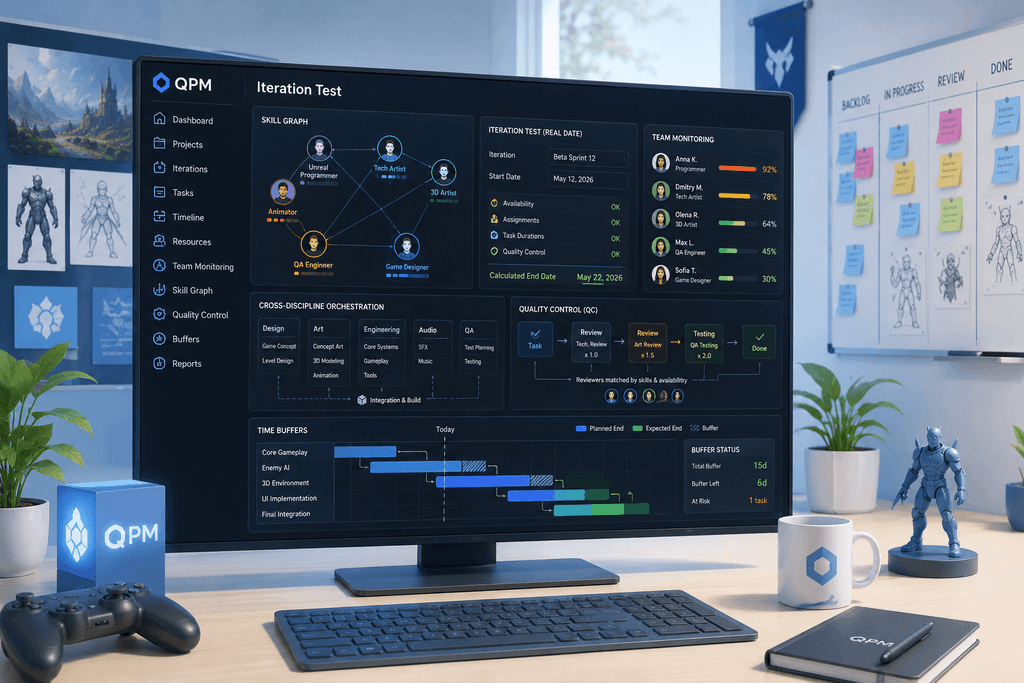
Skill Graph — a core element, not an add-on. In QPM, each team member is described not just by name and role, but by a skills matrix: specializations, proficiency level, seniority. The system understands the difference between junior and senior, between generalist and specialist, between someone who "knows Unity" and a lead Unity architect.
This changes the logic of task assignment: the system doesn't just show who is free — it recommends who is optimal for a specific task and explains why, accounting for skills, current load, and availability. If no priority is set manually, the system decides on its own and shows its reasoning. If the producer disagrees, they can override the choice. This is not a black box.
Cross-discipline orchestration. QPM understands that a studio has Programmers, Technical Artists, 3D Artists, Animators, QA Engineers, Audio Designers, and Game Designers — and that each has its own workflow specifics. The asset pipeline, dependencies between art direction and technical implementation, QA synchronization with build cycles — all accounted for in iteration planning.
Iteration test: real date instead of optimistic one. This is one of QPM's key mechanics that neither Jira nor Linear offers. How it works: the producer connects a story to an iteration (or vice versa) and runs it in test mode, specifying a start date. The system analyzes everything affecting real timelines: who is available during that period accounting for vacations and current load — including teams across different time zones (QPM lets you configure calendars for teams in different time zones with their own working hours, days, and holidays), who will be assigned to specific tasks and why, and how long each quality control stage (testing and task review) will take.
Quality Control (QC): task review already built into the overall iteration (sprint) time calculation. An important detail: QC is not just "add 10% for testing." For each stage, you configure who will review — by skill and qualification level (e.g., "Marketing, Senior or higher"), how long the review will take (fixed estimate or a multiplier of the main task), and the system finds the appropriate person among those available. The output isn't a planned date from someone's head — it's a calculated iteration completion date accounting for real people, their real availability, and the full task cycle from execution to acceptance.
This changes the conversation about timelines. Instead of "we plan to finish by the 15th," you get "the system shows the 22nd — here's why, here's the bottleneck."
Team workload monitoring. QPM analyzes each team member's load trajectory and signals in advance — not when people are already overloaded, but when the situation is still manageable. You can see whether a person is overloaded right now and when they'll next be free in Team Monitoring — a dedicated section with the current status of each member broken down by workload and availability.
Time buffers: protecting deadlines without arbitrary reserves. A separate mechanism absent from both Jira and Linear. QPM lets you build time buffers at the level of individual tasks, goals, or an entire iteration — not as an arbitrary "just in case" percentage, but as a structured reserve with transparent logic. The system calculates the Expected End date and compares it against the planned date — the buffer is displayed directly on the Gantt chart and recalculates in real time with any changes. If a specific task starts "consuming" the buffer — QPM shows where and why: not vaguely, but tied to a specific assignee or dependency. Buffers are factored into auto-planning: when calculating timelines and assigning executors, the system already knows how much real buffer remains at each stage. For a game studio where a single delay at the final review or integration stage can shift the release, this isn't a convenient option — it's insurance built into the planning process itself.
Head-to-Head Comparison: What Matters for a Studio
How to Choose: Three Scenarios
Scenario 1: Small studio (up to 30 people), one project, engineering team.
Linear is the optimal choice. Fast onboarding, excellent developer UX, reasonable pricing. When you grow — reconsider.
Scenario 2: Studio of 30–100 people, multiple tracks, cross-discipline teams.
QPM covers what neither Jira nor Linear provides: resource management with skill logic, iteration testing with real dates, and automatic QC with reviewer assignment by qualification.
Scenario 3: Studio of 50–500 people, multiple parallel titles or DLCs, cross-discipline teams.
QPM as the primary PM OS. Jira or Linear — optionally for engineering tracking if the team is attached to them. But resource management, timeline forecasting, and cross-project coordination — here and only here.

The Main Conclusion
Jira and Linear are good tools for the tasks they solve. Jira tracks tasks. Linear tracks tasks beautifully. Neither was built for what is the core operational challenge of a game studio: understanding who among 80 people with different skills should do exactly what, in what order, with what quality control — so that three parallel projects reach their milestones without crunch and with realistic dates, not optimistic ones.
This is a structural gap in the market. That's why studios with good PM tools still end up in crunch: the tool tracks what's been done. The real timeline for when it will be done — accounting for real people, their skills, vacations, sick days, and review stages — remains an unanswered question until the last moment.
QPM — a PM platform for IT companies and game studios with native Allocation Intelligence. Try it free or deploy it as the primary PM OS for your studio.