QPM vs Asana: When a Link to Goals Isn't Enough to Name a Date

Asana is one of the best tools for making a company see the meaning behind its work. Every task rolls up to a project, a project to a portfolio, a portfolio to a strategic goal. Leadership sees how day-to-day work moves the strategy forward. That's a rare quality, and if that's your actual problem, you can stop reading here: get Asana.
But there's a question the Work Graph doesn't answer: when will this specific work actually be done. And if that's what people ask you — every week, at every status update, before every release — you know the situation where everyone sees a beautiful picture of goals, and you're the one who has to name the date. Off the top of your head. On your own accountability.
Let's break down who feels this the most.
Who Hits Asana's Limit – Three Profiles
The producer with a deadline written into a contract
A release, a publisher milestone, a client deliverable. In Asana, you draw a Timeline – but that's a visualization of dates you set yourself. Workload will flag that someone's overloaded – and you're the one dragging tasks around. The system shows you the state; the decision and the calculation are on you.
In QPM, the system does the calculation: you connect tasks to an iteration, specify a start date, and get a completion date that accounts for skills, availability, all review stages, and buffers on the critical path. The answer becomes "it'll be ready on the 22nd, here's why" instead of "we're planning for the 15th, fingers crossed."
The lead of a cross-disciplinary team, where it matters exactly who does the task
Developers, designers, QA, analysts – or a studio with artists and animators. As of March 2026, Asana lets you filter workload by skills – these are custom user fields. You can find someone tagged "Unity." But the system won't check whether they're the right level, whether they're already loaded with other work, or whether a reviewer with the right qualification even exists for their task.
In QPM, this isn't a filter – it's logic: the system assigns a performer based on skills, level, and workload, and, more importantly, flags staffing gaps before the iteration starts: a task requires a skill nobody has; the reviewer needs to be one level higher and no one at that level exists; there's only one person on a track and no possible reviewer. This turns "for some reason everything's stuck" into a concrete case for hiring. –
The manager who manually rebuilds the plan every Monday
In Asana, rebalancing is manual: you spot the overload, you drag tasks around. Someone gets sick, an estimate shifts, a task gets added – and you're rearranging the puzzle again. In its April 2026 release, Asana even added allocation duplication to cut down on manual entry – which says a lot about the underlying model: the person moves things, the system shows them.
In QPM, any change to the inputs automatically recalculates the plan and iteration dates. The Monday ritual of reshuffling tasks disappears – you work with consequences the system has already calculated.
What QPM Does Differently
The three profiles above all point to the same gap: Asana gives visibility and leaves the calculation to a person. Here's what fills that gap in practice.
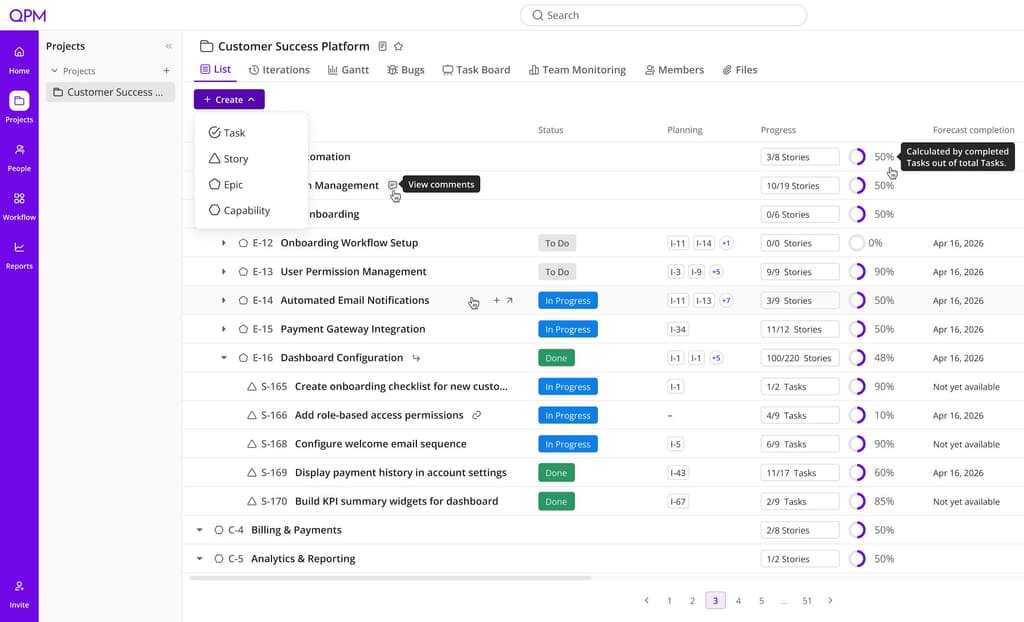
Autoplanning that rebuilds itself. QPM automatically structures a project from goals down to tasks, factoring in priorities, dependencies, team availability, vacations, and sick leave. When an input changes, the whole plan and iteration dates recalculate instantly — no dragging tasks around.
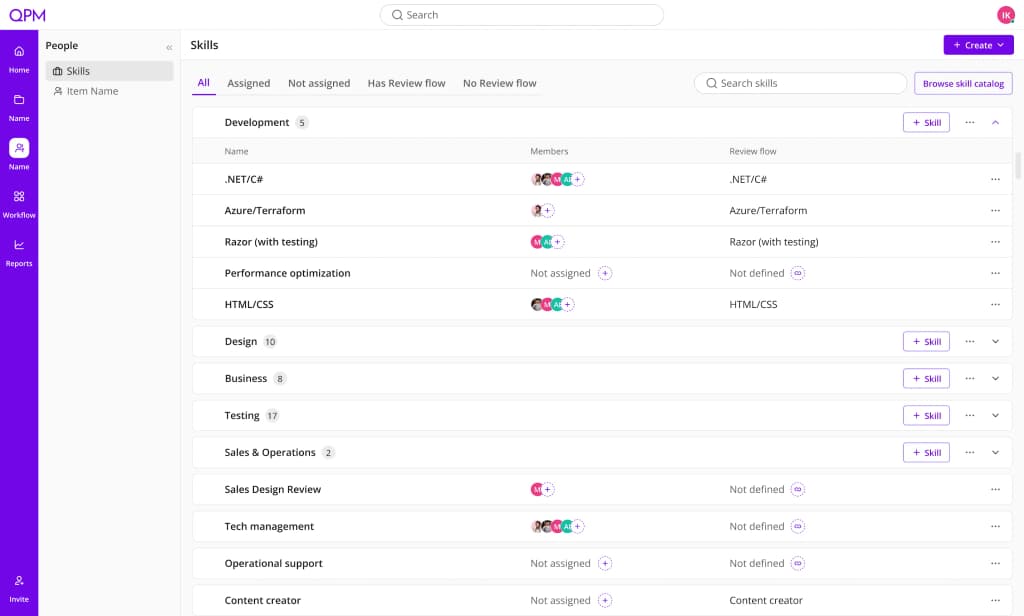
A skill graph that computes, not just filters. Every team member is described by skills, qualification level, and seniority. QPM assigns tasks based on that data and explains its choice — and flags staffing gaps (missing skills, missing reviewers) before an iteration even starts.
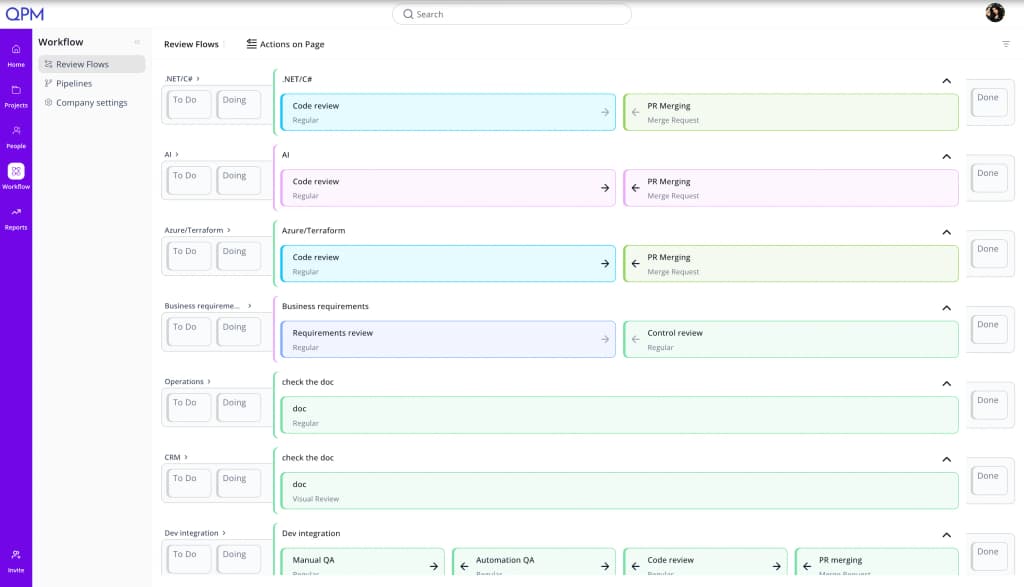
Review Flow built into the timeline. A configurable, multi-stage review sequence — code review, product review, business validation, final approval — where each stage has an assignee by role or qualification level and a duration. That time is factored into the completion date from the start, not discovered afterward. A task can't move to "done" without passing every step.
Buffer Time Planning on the critical path. Buffers are calculated at the task level, only where they actually affect the deadline — not padding added everywhere "just in case." This can mean a shorter, more defensible deadline when quoting an estimate to a client.
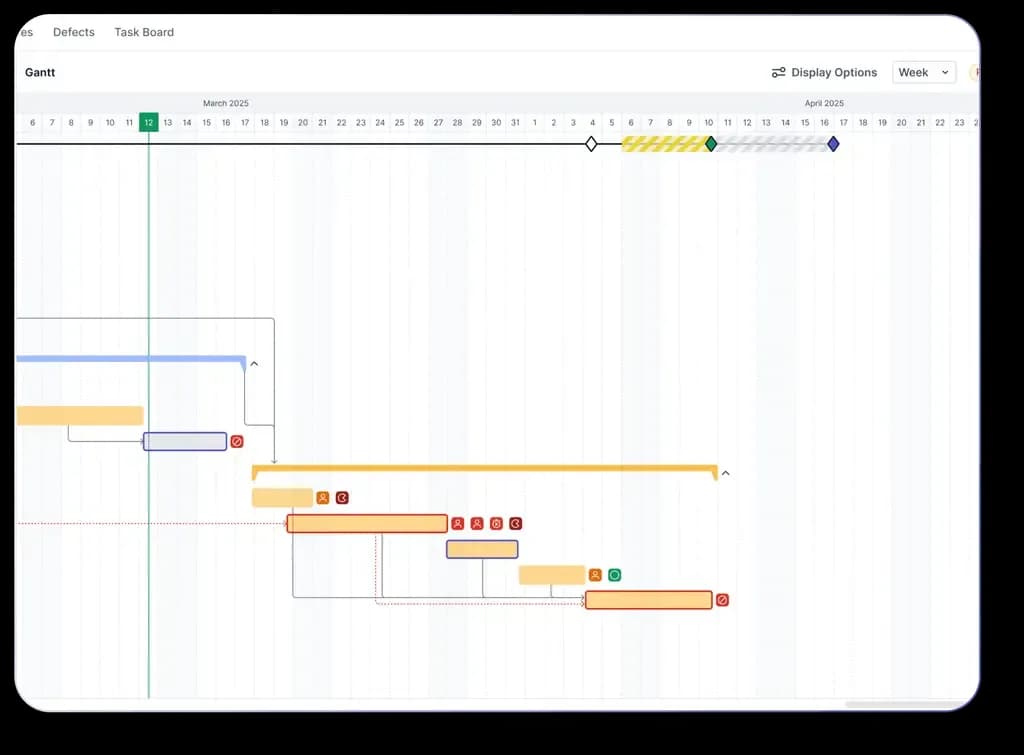
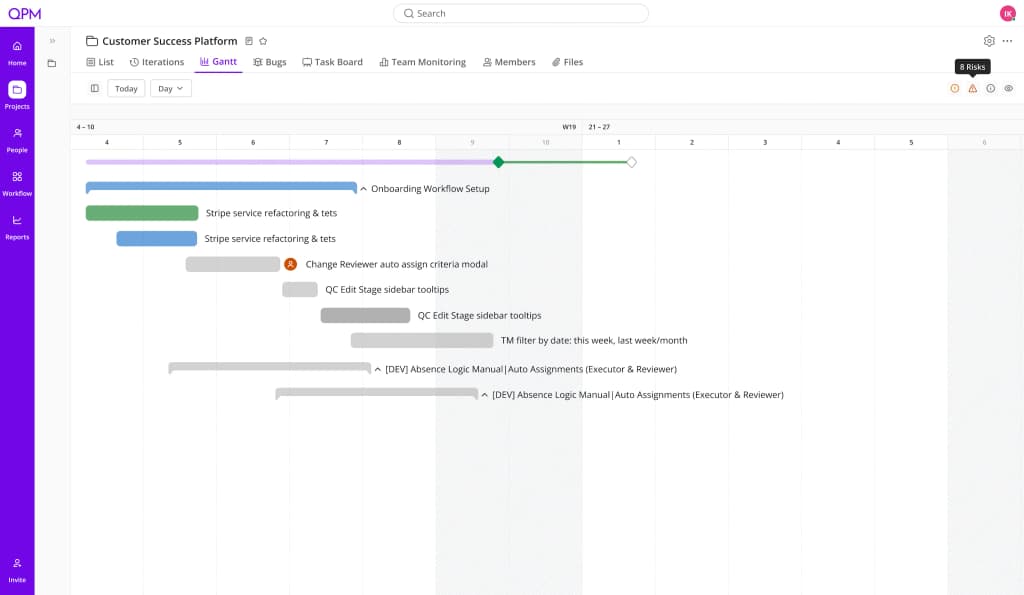
Gantt with Simulation mode. Before an iteration starts, QPM checks whether the team can actually handle its workload and highlights tasks with no assignee, no reviewer, or a skill nobody has.
What Asana Does Better — No Caveats
Linking work to strategy. Goals, Portfolios, Work Graph — the best implementation on the market. If the job is to align the company around its goals and show leadership how initiatives are progressing, Asana is unmatched.
Adoption among non-technical teams. One of the cleanest interfaces in the category. Marketing, operations, and HR adopt it easily — where other PM tools meet resistance.
AI process automation. AI Studio lets you assemble project intake, request triage, and routine workflows without code. For operational processes, it's a strong tool.
One practical detail worth noting: Workload, Capacity Planning, and time tracking in Asana are only available from the Advanced tier up. So you pay a premium price for resource features — while the plan calculation itself still remains manual.
QPM vs Asana: Direct Comparison
Asana is the right choice if the main goal is to align the company's work around its objectives: so every team sees why it's doing what it's doing, and leadership sees how initiatives move the strategy forward. Marketing, operations, cross-functional programs — Asana is among the best here. It suits teams where resource decisions are made manually and that's fine.
QPM is the right choice if the critical question is "when will the iteration actually finish and is the deadline realistic" — and if you have cross-disciplinary teams where a performer's skills directly affect quality and timelines. Game studios, product teams with a complex review pipeline, outsourcing shops with strict contractual deadlines.
In short: Asana shows the state of things and links it to goals. QPM calculates the plan and keeps it current.
QPM and Asana Aren't Always Competitors
Some companies use Asana at the strategic level — goals, portfolios, cross-functional initiatives — and QPM at the production level: iterations, resources, Review Flows. Both tools support integrations, so this kind of stack is entirely realistic.
You've compared — now test it on your own team
Leave your email and we'll show you the difference not in a table, but on your real iteration: with your people, skills, and deadlines.