QPM vs Jira: A Full Comparison for Teams That Need More Than Tracking — Real Production Management

Jira is the proven standard. QPM is a different class of tool.
If your team has outgrown simple “where's the task” tracking, and it matters to you whether a deadline is realistic, who can actually take on a task right now, and where the hidden risk is in the process — this page is for you.
Where Jira Is Strong — and Where It Stops
Jira solves one thing well: keeping tasks in one place. Sprints, backlog, Kanban boards, GitHub integration — all of this is proven over years and works reliably. For a small engineering team with a single product, Jira is entirely sufficient.
But once a team grows, parallel projects appear, or roles beyond development enter the picture — problems start that Jira doesn't solve natively.
Resource planning is weak even in Premium. At the team level, Jira has Jira Plans (formerly Advanced Roadmaps) — a Premium-tier feature, not a separate plugin. It lets you estimate capacity at the team level, but it can't manage individual workloads: there's no accounting for individual availability, skills, priorities, or vacations. To get a real picture at the individual level, you need marketplace plugins — Tempo, BigPicture, ActivityTimeline, or Planyway. Each is paid, each with its own interface and its own data logic.
There's no skill logic. Assignment in Jira is built around users, not qualifications. A senior architect and a junior are the same assignee. Real resource planning by skills and seniority is impossible natively in Jira — third-party plugins are required.
Vacations and availability aren't factored into planning. Jira doesn't build vacations, sick leave, holidays, or meetings into its calculations. The plan on the board looks perfect — until several people go on vacation and a realistic deadline suddenly becomes unreachable.
Non-technical roles are outside the system. Designers, marketing, QA, creative teams either keep parallel spreadsheets or simply don't use Jira. The tool was designed for engineers — and it shows.
What About the Automation Jira Does Have?
It's important to be honest here: Jira does have auto-assignment and auto-reassignment, via the Automation engine. But there's a nuance.
Auto-assignment exists — but it's basic. Jira can distribute tasks using a balanced-workload method: the system looks at who has the fewest open tasks and assigns to them. Plus round-robin and random. The problem is that this counts the number of tasks, not real workload in hours, skills, or seniority. A task can land with someone who's free by ticket count but doesn't have the required qualification — or is already loaded with large tasks.
Auto-reassignment after rejection exists — but it's manually configured. When QA rejects a story, Jira can return it to the previous assignee via an Automation rule. This works — but it's a custom automation you have to set up by hand, not a built-in Review Flow cycle.
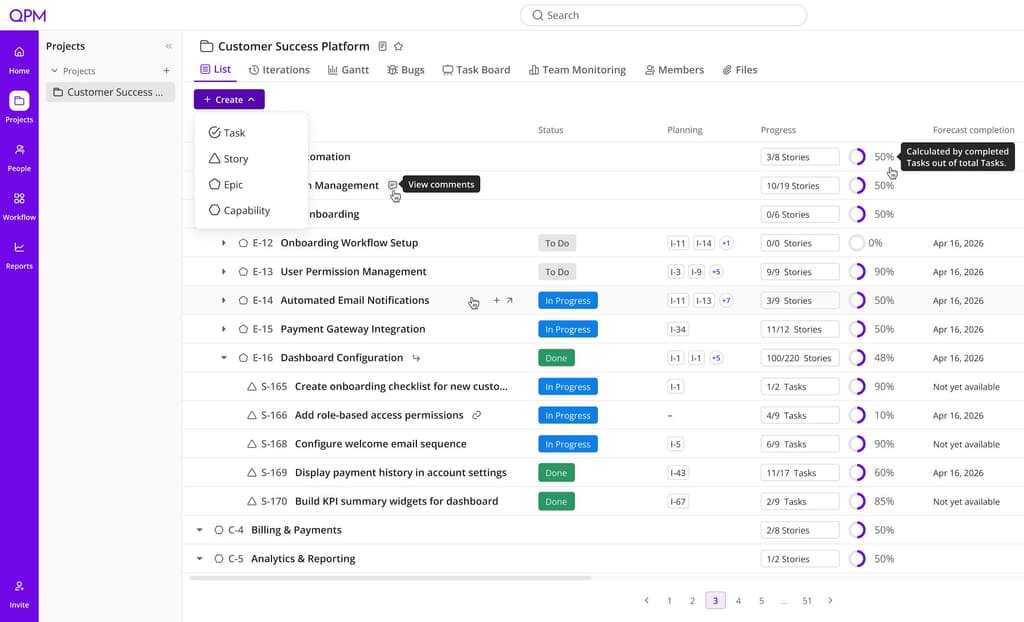
What QPM Does Differently
QPM wasn't built to be a better task tracker. It was built around one question: why do teams with a PM tool still miss deadlines?
The answer: tools track what's being done, but they don't answer who, when, and under what conditions.
Auto-Assignment: by Skills, Not Ticket Count
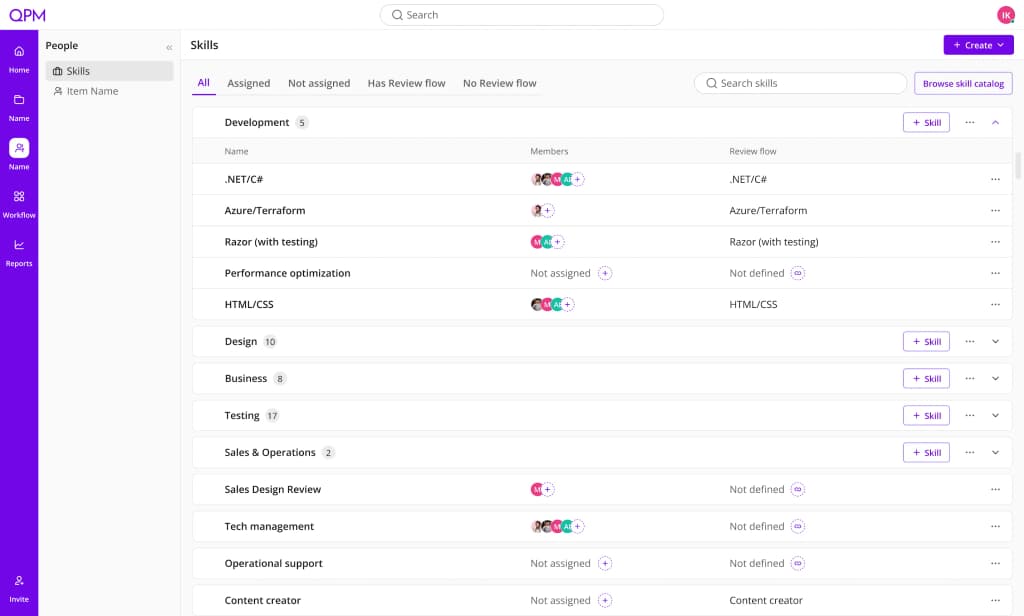
Unlike Jira's balanced workload, QPM assigns tasks based on skills, qualification level, seniority, and real workload. The system explains its choice — the manager sees the logic and can override it. This isn't “who has fewer open tasks,” it's “who's actually the best fit for this task right now.”
Auto-Planning: A Plan With Real People — and Recalculation on Changes
QPM automatically builds a project structure from goals down to tasks, factoring in priorities, dependencies, team availability, vacations, and sick leave. If something changes — a new team member, a departure, a shifted estimate, a blocker — the system instantly recalculates the entire plan and updates iteration dates. No manual dragging of tasks.
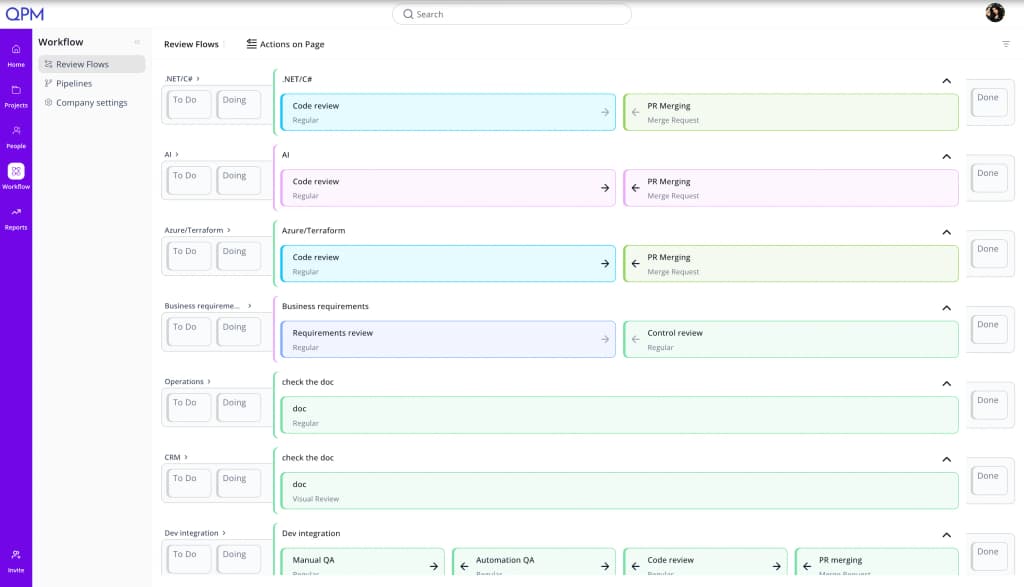
Review Flows: Multi-Stage and Built Into Iteration Planning
In QPM, Review Flow isn't a “in review” status or a custom rule you have to assemble by hand. It's a configurable sequence of stages: for example, code review → product review → business validation → final approval. For each stage, you set who reviews it (by role or qualification level) and how long it takes. Crucially, the entire cycle is factored in during iteration planning — so the final completion date already includes time for all checks, instead of appearing as a surprise at the end. If a task is rejected, it returns to the assignee or is automatically reassigned.
Buffer Time Planning: Native Deadline Protection
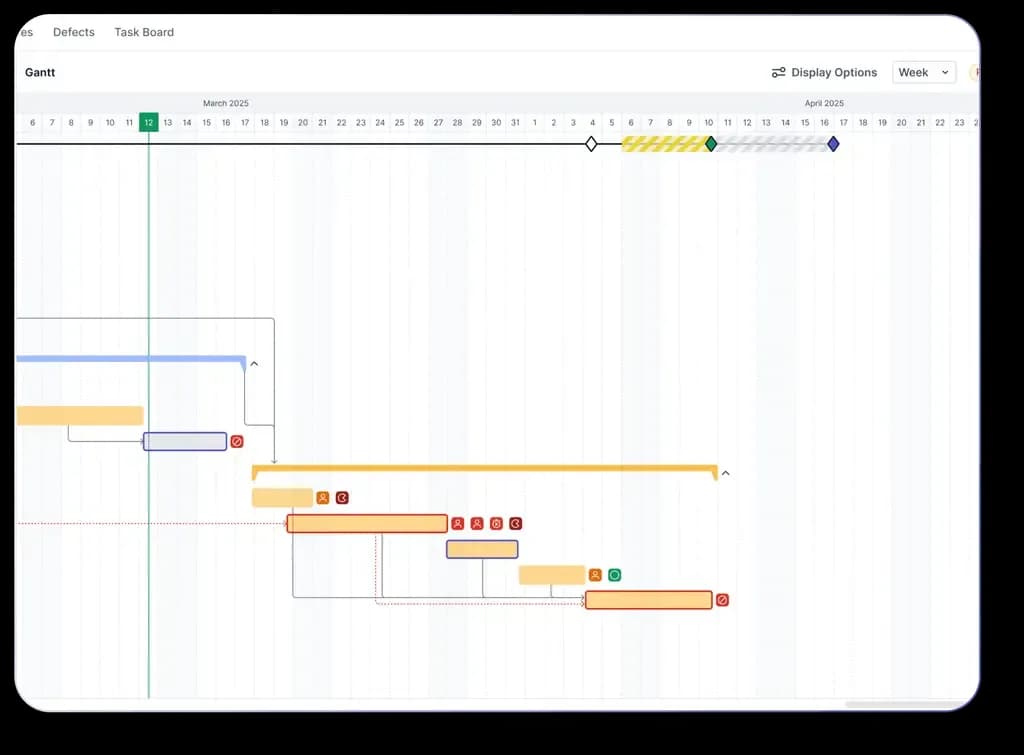
Jira has no concept of a buffer. QPM calculates the buffer at the level of each task and only where it actually affects the deadline: on the critical path, for tasks that could realistically shift it. The result is a shorter deadline at the same level of reliability: not an inflated reserve, but a precisely calculated timeline. The buffer appears on the Gantt chart and recalculates dynamically as things change.
Gantt With Simulation
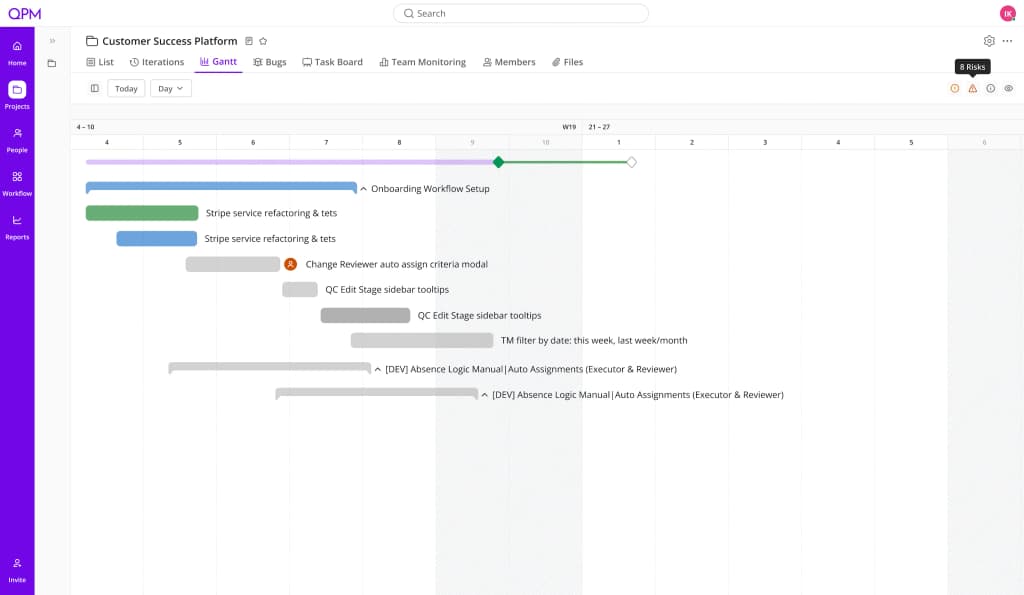
Gantt in QPM isn't just a plan visualization. Simulation mode lets you check whether the team can handle the iteration's workload before it even starts. Tasks without an assignee, without a reviewer, or requiring rare skills that may be unavailable are highlighted.
Team Monitoring: The Full Picture Without Manual Data Collection
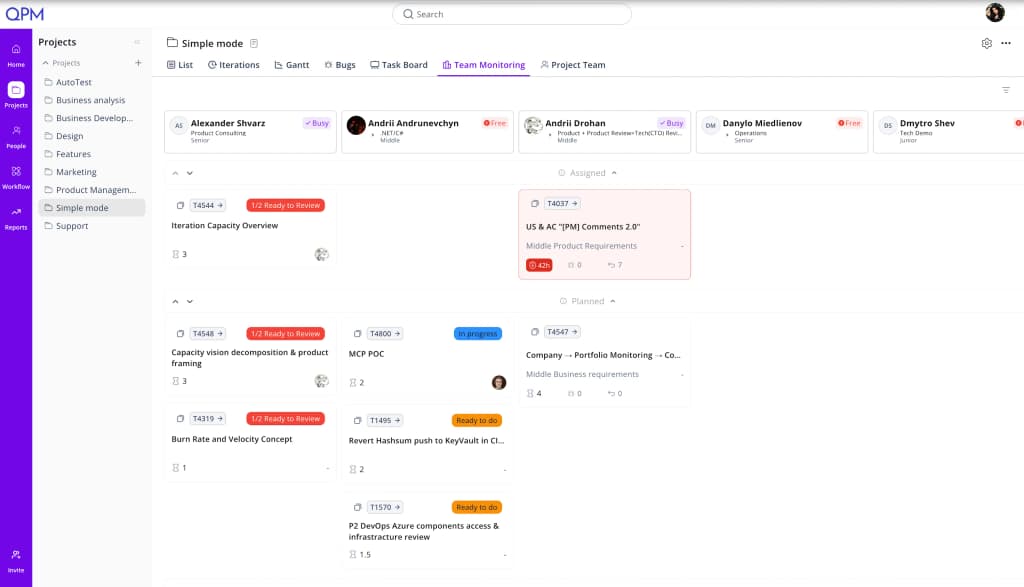
In one section, you can see what each team member is currently working on, when they'll be free, and whether they have upcoming tasks. If someone goes on vacation or gets sick, the system reflects this immediately and factors it into planning.
QPM vs Jira: Direct Comparison
Who QPM Is a Good Fit For
IT companies and product teams with 30+ people — where there are several workstreams and a real need to see workload and know whether the next deadline is realistic.
Agencies and studios with parallel projects and different types of specialists — developers, designers, marketing, QA — where Jira has long since become “the tool nobody updates.”
Game studios — where the problem is at its most acute: several parallel workstreams, cross-disciplinary dependencies between art, code, and QA, and a milestone whose realism nobody can confirm until the last week.
QPM Doesn't Replace Jira Where It's Strong
If an engineering team is used to Jira, QPM integrates and works alongside it. But auto-planning that accounts for skills and real people, a multi-stage Review Flow built into the iteration, deadline protection through Buffer Planning, and an up-to-date picture of the team — that's what Jira wasn't built for, and what not even a stack of paid plugins can deliver.
How to Choose
ClickUp is the right choice if you need a single tool to replace docs, chat, time tracking, and tasks, you want a powerful AI layer for generation and automation, and you're ready to invest time in onboarding and budget for an AI add-on. It suits teams with simple or moderately complex workflows where timeline forecasting precision isn't critical.
QPM is the right choice if the critical question is “when will the iteration actually finish and is the deadline realistic” — and if you have cross-disciplinary teams where a performer's skills directly affect quality and timelines. Game studios, product teams with a complex RW pipeline, agencies with parallel projects.
In short: ClickUp gives you AI that advises. QPM gives you a system that calculates.
QPM and ClickUp Aren't Always Competitors
Some teams use ClickUp for docs, wikis, chat, and general communication — and QPM for iteration planning, resource management, and quality control. Both tools support integrations, so this kind of stack is entirely realistic.