QPM vs Float: A Comparison for Teams That Need to Plan From Workload, Not Just See It

Float shows you who's busy with what. QPM calculates when the work will actually be done. That's the difference between visibility and planning.
Where Float Excels
Float is the benchmark for specialized resource management. For over a decade, the company has done one thing and done it well: a visual team schedule. Who's on which project, how many hours, when they'll be free — all on one screen, with drag-and-drop, color coding, and instant updates for the whole team.
Float does a lot around this core: vacation tracking with policies and regional holidays, individual schedules for part-timers and contractors, over-allocation warnings, skill and seniority tags for filtering people, and AI suggestions for staffing. Plus a financial layer most PM tools lack: cost/bill rates, project budgets, margin, real-time budget burn — and built-in time tracking with pre-filled timesheets.
For agencies and service companies where the key question is “do we have enough people, and will we make money on this project,” Float solves that cleanly and without overload.
Where the Real Line Between Float and QPM Runs
Float honestly positions itself as an add-on to your stack: it doesn't replace a task tracker, it works alongside Jira, Asana, or ClickUp. And that's exactly where the structural line is.
Float Operates on Allocations, Not Tasks
The unit of planning in Float is an allocation: “person X on project Y, N hours a day, Monday through Friday.” This answers “who's busy with what,” but not “when will a specific task be done.” Tasks — with their dependencies, estimates, and review stages — live in a different tool, and the link between “hours on the schedule” and actual task progress depends on the manager's discipline.
In QPM, the unit of planning is a task with an estimate, dependencies, required skills, and a Review Flow. The people's schedule isn't a separate picture — it's the output of the plan calculation (resource-constrained scheduling / critical chain).
Skills: A Filter vs. Planning Logic
Float lets you tag people with skills, roles, seniority, and location, and quickly find the right person with a filter. That's convenient, but the decision is made by a person: the system doesn't check whether an assignee actually meets a task's requirements, and it doesn't build a plan from that.
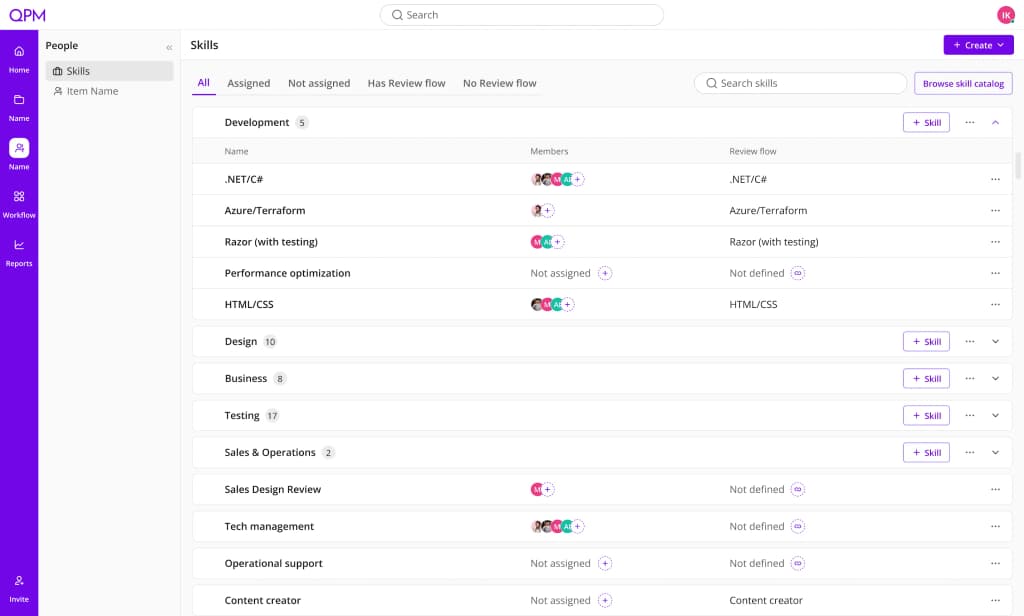
In QPM, the skill graph is a computational element. The system assigns a performer based on skills, qualification level, and current workload, explains the choice, and lets you override it.
A valuable effect: the skill graph immediately highlights staffing gaps at the planning stage. If a task requires a skill nobody has; if the reviewer needs to be one level higher and no one at that level exists; or if there's only one person on a track with no possible reviewer — QPM flags this as a risk in advance. This helps identify exactly which skills are missing and makes an immediate case for expanding the team. In Float, this kind of analysis is manual work with filters.
Completion Date: Float Doesn't Calculate It — You Set It
Float will show that someone's overloaded and warn about a schedule conflict. But calculating an iteration's completion date — accounting for task dependencies, review stages, vacations, and the actual sequence of work — is something Float can't do, because it doesn't operate on that data.
QPM answers this directly: you connect tasks to an iteration, specify a start date, and the system calculates a completion date with an explanation of bottlenecks. Not “do people have the hours,” but “when will the work actually be ready.”
Replanning: Manual vs. Automatic
In Float, changing plans means manual drag-and-drop: move allocations, extend them, reassign them. Fast and convenient — but the decision about what exactly to move is yours to make.
In QPM, a change to the inputs — a new task, sick leave, a shifted estimate, someone leaving — automatically recalculates the entire plan and iteration dates. The system shows you the consequences instead of waiting for you to work them out manually.
Review Flows: Float Doesn't Have Them at All
Float doesn't work with tasks, so review stages, configuring “who reviews and how long it takes,” and auto-returning rejected work simply don't exist in it and can't. Time for quality control is either baked in “roughly” as extra allocation hours, or not accounted for at all.
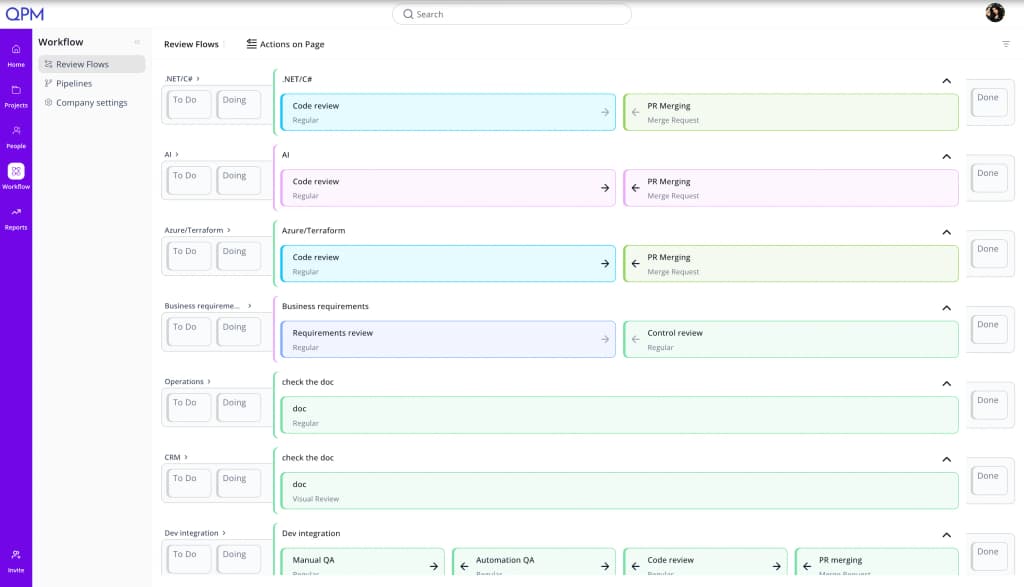
In QPM, a multi-stage Review Flow is part of planning: each stage has an assignee by role or qualification level, its own duration, and all of it feeds into the final date calculation. A task can't move to “done” without passing every step.
Buffers: Hourly Padding vs. a Calculated Deadline Safeguard
In Float, padding for uncertainty is simply more hours in an allocation — padding “just in case, across the board.”
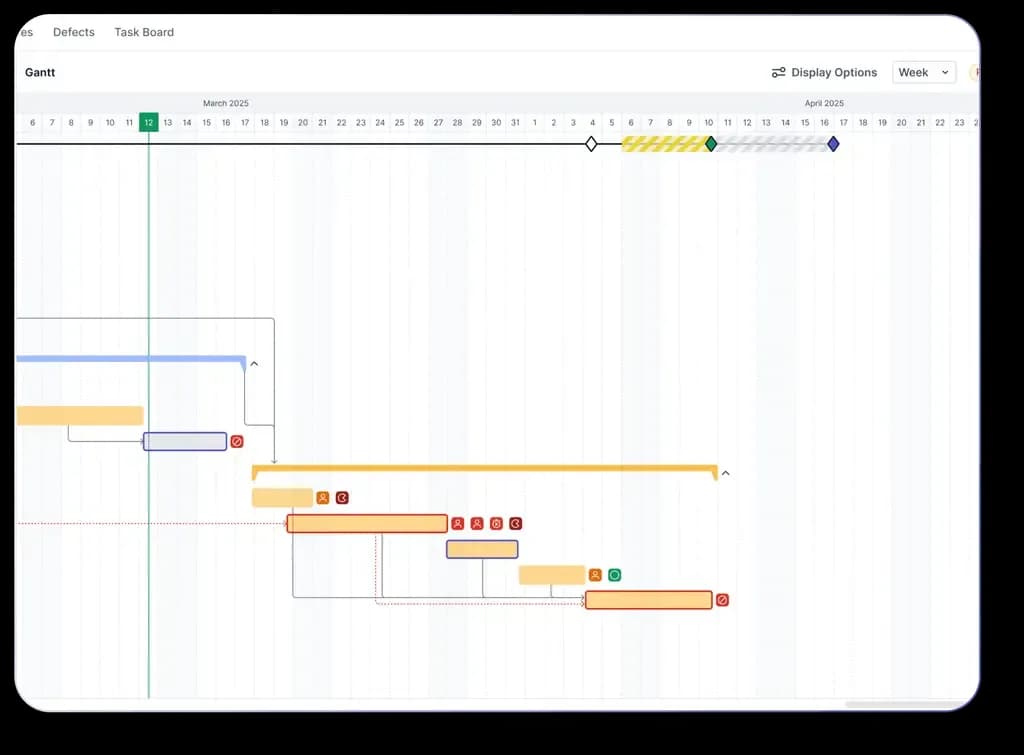
In QPM, the buffer is calculated at the level of each task and only where it actually affects the deadline: on the critical path, for tasks that could realistically shift it. The result is a shorter deadline at the same level of reliability: not an inflated reserve, but a precisely calculated timeline. This can be a winning strategy when quoting an estimate to a client. Buffers appear on the Gantt chart, recalculate dynamically as things change, and show which tasks are eating into the reserve — before the deadline is actually missed.
Where Float Is Objectively Ahead
Fairness requires saying this too.
The financial layer. Rates, budgets, margin, budget burn, estimate-vs-actual comparison — in Float this is mature functionality, critical for agencies billing by the hour. In QPM, financial analytics isn't a core part of the product.
Time tracking. Pre-filled timesheets from the schedule are a neat solution that saves time on reporting.
Simplicity. Float is lighter by design: if all you need is a workload picture on top of an existing tracker, it delivers that quickly and without extra weight.
QPM vs Float: Direct Comparison
How to Choose
Float is the right choice if you already have a task tracker your team is happy with, and all you're missing is a workload picture and financial visibility on top of it. Agencies billing by the hour, service teams with simple delivery processes — Float meets that need with minimal effort.
QPM is the right choice when the question isn't “who's busy with what” but “when will the work actually be done, and is the deadline realistic.” Teams with complex task dependencies, multi-stage review, cross-disciplinary roles — game studios, product teams, outsourcing shops with strict contractual deadlines. Here you don't need a second tool layered on top of a tracker — you need a system where tasks, people, and timelines live in one logic.
In short: Float shows you the state of your team's workload. QPM runs the plan.
One Tool Instead of Two
A typical “Jira + Float” stack is two paid tools, two separate data models, and manual syncing between “tasks” and “hours.” QPM covers both roles: task tracking and resource planning in one system, where they aren't synced — they're one and the same.