More AI, less output: what AI brain fry is and how to avoid it


AI was supposed to take over routine work and free up time. In many teams, it has. But in spring 2026, Boston Consulting Group described the other side: some employees are worn out not by the work itself, but by managing AI tools.
The researchers called it “AI brain fry.” Marketers are hit hardest. They were among the first to bring text, image and analytics generators and their own agents into their work.
In this article, we look at what the phenomenon is, why it happens, and how to set up work with AI so it reduces the load instead of adding to it.
What is AI brain fry
AI brain fry is mental fatigue from excessive use or oversight of AI tools, when the load exceeds a person’s cognitive capacity. The term comes from a BCG study published in Harvard Business Review. The same authors earlier described “workslop,” AI-generated work that only looks finished.
Brain fry shouldn’t be confused with burnout:
- Burnout is emotional exhaustion that builds up over weeks and months.
- AI brain fry is acute cognitive overload. It can set in after a few hours of intensive work with several tools.
Study participants described the state as a “buzzing” in the head and a fog. It becomes harder to focus, decisions take longer, and headaches appear. One engineering team lead said he spent more effort managing the tools than on the task itself.

What the study showed
BCG surveyed 1,488 full-time employees in the US. 14% of those who use AI said they had experienced brain fry. The researchers consider this an early figure: fewer than 5% of corporate users are currently at the highest level of AI use, and the share will grow as the number of agents increases.
Brain fry is most common in marketing, at 26%. HR, operations, engineering, finance and IT follow. In legal departments, it’s only 6%.
For those who experience brain fry, the effects show up in their work:
Notably, brain fry occurs most often not among skeptics, but among early AI adopters, the people companies consider their most productive.
Why it happens
The study names three main causes.
1. Too many tools at once. Going from one AI tool to two noticeably increases the sense of productivity. It peaks at three. After four, it drops again. Working with multiple AI tools has the same limit as ordinary multitasking.
2. Constant oversight. Supervising agents has the strongest effect on fatigue. High levels of oversight meant 14% more mental effort, 12% more fatigue and 19% more information overload. An agent works fast, but each of its outputs has to be checked, refined and passed on.
3. More output means more work. When AI increases the volume of output, the volume of material to review grows too. Doing more simply costs more.
There is also a flip side: when AI is used to replace repetitive tasks, burnout scores are 15% lower. The difference isn’t how much AI a person uses, but how the team builds it into the work.

How to reduce the risk: 5 steps for teams
- Count your tools. List every AI service the team uses weekly. If one person keeps four or more open, that’s already a risk zone.
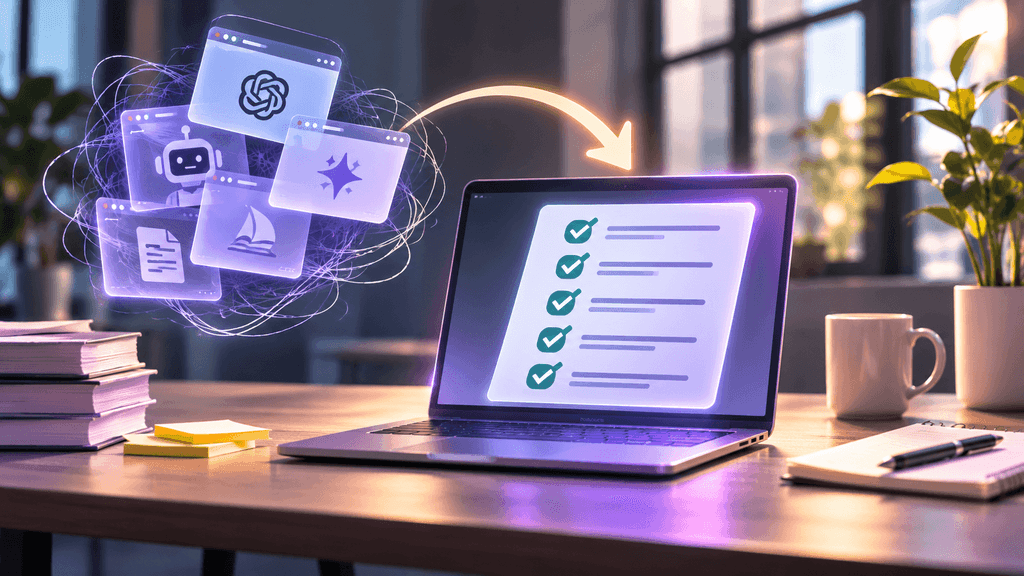
- Move AI to where the tasks live. Every separate chat or service is another tab, another context and another round of copying results. AI inside the task tracker sees the task, deadlines and history without anything being moved.
- Decide what AI does on its own and what it only suggests. Routine work such as reminders, status updates and breaking tasks into subtasks can be handed over fully. Decisions on priorities and client outcomes stay with people.
- Review against criteria, not by eye. A task-completion checklist takes part of the load off review: there’s no need to decide each time whether the result is good enough.
- Don’t measure productivity by AI usage. BCG recommends separating metrics from AI usage intensity. Otherwise, people add more agents just to hit the metric.
How QPM Solutions handles this
QPM Solutions is a task tracker for any team, with AI built into the work itself rather than spread across separate services. Instead of several tabs, there are three levels of AI in one place.
AI assistant. Paste meeting notes or a document, and the assistant breaks it down into tasks with owners and deadlines. No need to copy results from a chat into the tracker.
Magic wand. It sits next to every element: task description, subtasks, checkpoints. One click, and AI helps with exactly the field you’re working on, without switching context.
QPM AI PM (Jennifer). You can assign her tasks the same way you would a colleague, without hiring an extra employee. Jennifer can be invited to a meeting: she takes on the PM role and creates tasks based on agreements right during the conversation.
Checkpoints in QPM are real checklists. For example, for the task “Competitor pricing analysis,” the team sees: prices from 5 competitors collected, plans compared, conclusions drawn for our pricing. Review comes down to ticking boxes, not deliberating.
Setup takes 2–3 days. After that, AI works where the tasks already are and doesn’t add another tool to the list.

Conclusion
AI brain fry isn’t an argument against AI. It’s a signal that the number of tools and the amount of oversight have limits. Teams should spread AI less across separate services and build it more into a process where tasks, completion criteria and owners are already defined.
Try QPM Solutions: https://qpm.solutions