How to Choose a First Task Tracker for Your Startup That You Won’t Have to Replace in a Year

A startup usually picks its first tracker in a single evening: it needs a task list, assignees, and deadlines. A year later the team is no longer five people but twenty-five, marketing, sales, and support have appeared, and the tool can no longer cope. The migration begins.
A migration costs more than a subscription. The history of tasks and decisions is lost, the team works in two systems for several weeks, and people have to be retrained. And all of this happens during a growth period, when time is scarcest.
Below are seven criteria to check a tracker against before the first task goes into it.
Why the first tracker stops fitting
There are usually three reasons:
- The tool was too simple. A board with cards is convenient for five people. With thirty, it becomes unclear who is overloaded, what depends on what, and whether the team will meet the deadline.
- The tool was built for one function. A tracker for developers handles development work well, but marketing and sales set up their own spreadsheets. The data drifts apart.
- The tool was too complex. The team never finished setting it up and manages tasks in chats and email. Formally there is a tracker; in practice nobody uses it.
In all three cases the outcome is the same: a change of system.

Seven selection criteria
1. Start without setup. The first task should appear within the first few minutes, without an administrator or training. If getting started requires a manual, part of the team will never show up in the system.
2. Works for every department. Check whether not only development can work in it, but also marketing, design, sales, and legal. One tool for the whole company is cheaper than three different ones and doesn’t require reconciling data by hand.
3. Capabilities are added as you grow. Today a task list is enough. In a year you will need scheduling, task dependencies, workload management, and approvals. What matters is that all of this lives inside the same system and can be switched on when needed.
4. Works where the team already works, including in AI tools. According to Harvard Business Review, an employee switches between applications about 1,200 times a day and spends almost four hours a week doing so. A tracker you have to open separately adds one more window.
Over the past two years the workplace has changed: a significant part of the day is spent in ChatGPT, Claude, and similar AI tools. A developer writes code with an AI assistant, a marketer drafts copy there, a manager works through documents. Leaving for the tracker to create a task or update a status means interrupting the work every time.
So check two things. First: tasks are accessible from Slack and from a phone, and the data is the same everywhere. Second: the tracker connects to the AI tools the team already uses. Then a developer creates a task, views their list, and closes completed work right from the environment where they write code, and everyone else does the same from their usual AI chat. For this, the tracker needs MCP: the way AI tools connect to external applications and work with their data.
5. AI does the work rather than just answering questions. In an Asana study, employees estimated that about 60% of their time goes to “work about work”: statuses, clarifications, searching for information. AI in a tracker is useful when it creates tasks, sets deadlines, and monitors progress on its own. A chat in the next tab doesn’t reduce that share.
6. Data can be taken out and connected. Export and an API (a way to link the tracker with other software) are needed from day one. They are insurance in case plans change, and the foundation for future integrations.
7. Clear pricing as you grow. Calculate the cost for 10, 30, and 100 people. With many services, the features a growing team needs are available only on higher-tier plans.

What you need at each stage
A tracker chosen only for the first row of the table will have to be replaced at the second or third.
How popular tools approach this
Boards and notes (Trello, Notion) offer the easiest start, but scheduling and workload management have to be assembled on your own.
Jira covers complex development processes. For a team of five its setup is excessive, and non-technical departments find it uncomfortable.
Linear is fast and convenient for engineering teams. It suits other departments less well.
ClickUp, Asana, and Monday are versatile and feature-rich. Their price: setup time and costs that grow along with the team.
Each of these tools is good at its own job. The question is whether that job will match yours a year from now.

How QPM Solution solves this
QPM Solution is a project management platform where an AI assistant is always at hand. It is built so that a team can start simple and stay in the same system as it grows.
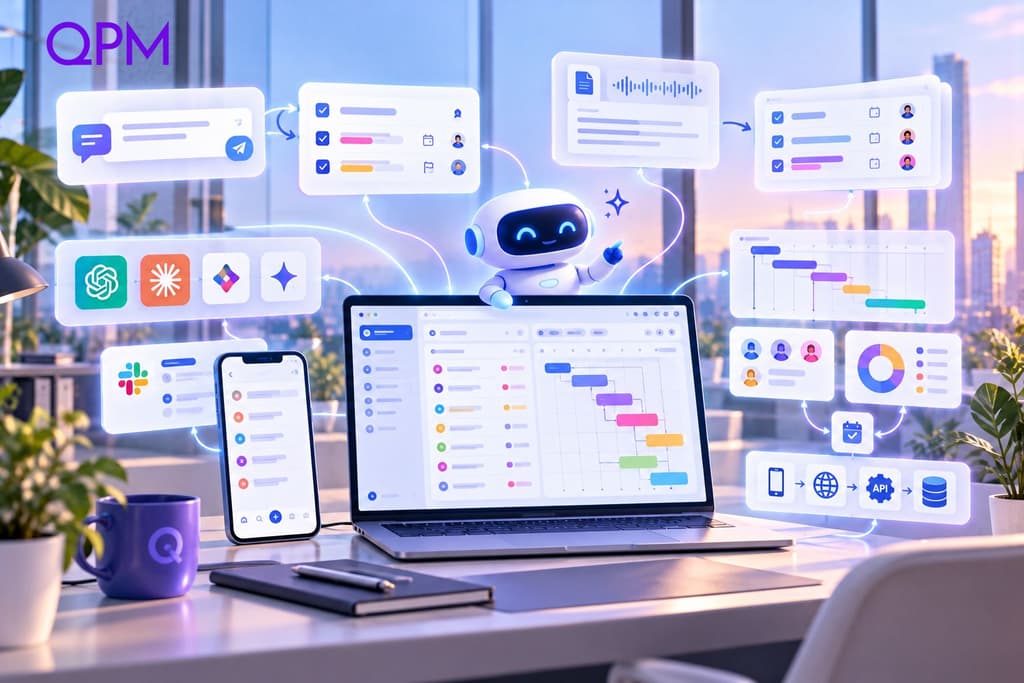
Start with a single phrase. You write what needs to be done. The assistant creates a structured task with checkpoints.
A meeting turns into tasks. Upload or paste the meeting notes, and the AI project manager (called QPM AI PM in the product) breaks them down into tasks.
One data loop, including your AI tools. Web, mobile app, Slack, API, and MCP are fully synchronized. Through MCP the platform connects to AI tools that support it, such as Claude or ChatGPT. A task can be created and updated without leaving them. Everyone works where it suits them, and the result is visible everywhere.
Planning when you need it. Auto-scheduling, skill-based task assignment, a live Gantt chart, a time buffer for risks, approvals via Review Flows. The platform calculates deadlines rather than guessing them.
For any team. Development, marketing, design, and legal work in one system.
Who may be better served by another solution: if the company consists only of developers and its processes are tightly tied to the code repository, a specialized engineering tracker may turn out to be more convenient.
A quick check before you choose
Is the first task created in minutes, without a manual?
Can every department work in the system?
Are scheduling and workload management built in rather than in a separate product?
Are tasks accessible from Slack, from a phone, and from the team’s AI tools?
Does AI create and manage tasks on its own?
Are there export and an API?
Is the price clear for 30 and 100 people?
If the answer to all seven questions is “yes”, you won’t have to change your tracker in a year.
Try QPM Solution for free